Python activities in Moodle
Tested on Moodle 5.3 · Free
Connect pythoncompiler.io to Moodle once, and teachers can add auto-graded Python problems, exercises and quizzes to any course, with grades in the Moodle gradebook.
Before you start
- Part 1 needs a Moodle site administrator, once for the whole site. It takes about five minutes.
- There is nothing to install: Moodle's built-in External tool support makes the connection, and Python runs in each student's browser.
Part 1: Connect pythoncompiler.io
For administrators, once per site.
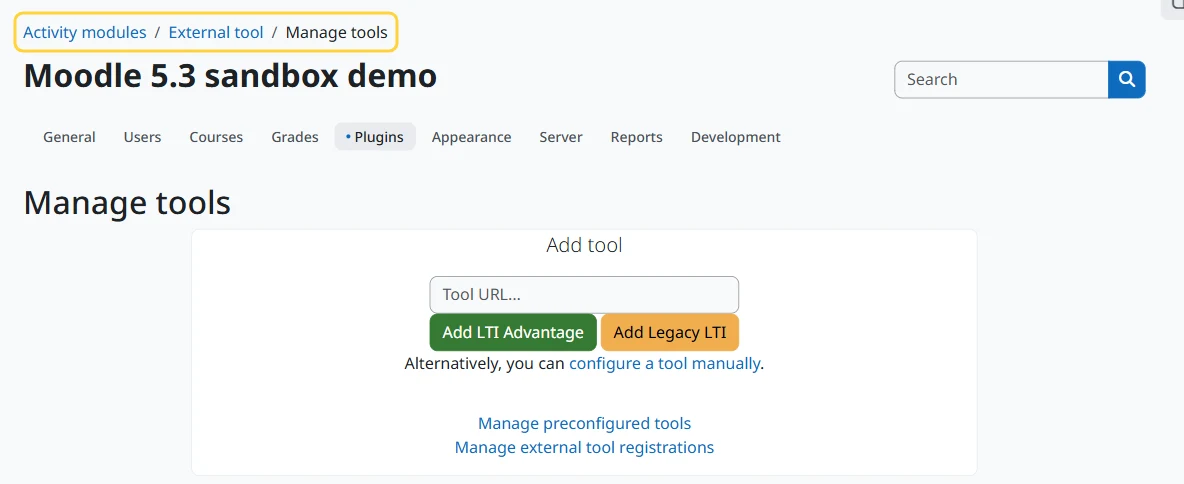
1. Open Manage tools
Go to Site administration, Plugins, Activity modules, External tool, Manage tools.
2. Add the registration address
Paste this address into Tool URL and press Add LTI Advantage:
https://pythoncompiler.io/api/lti/register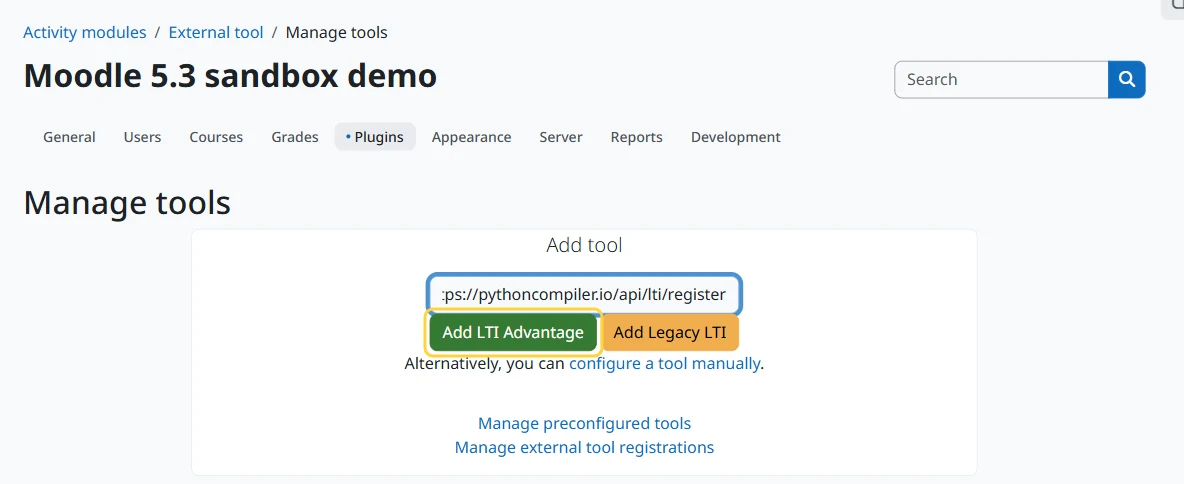
3. Activate the tool
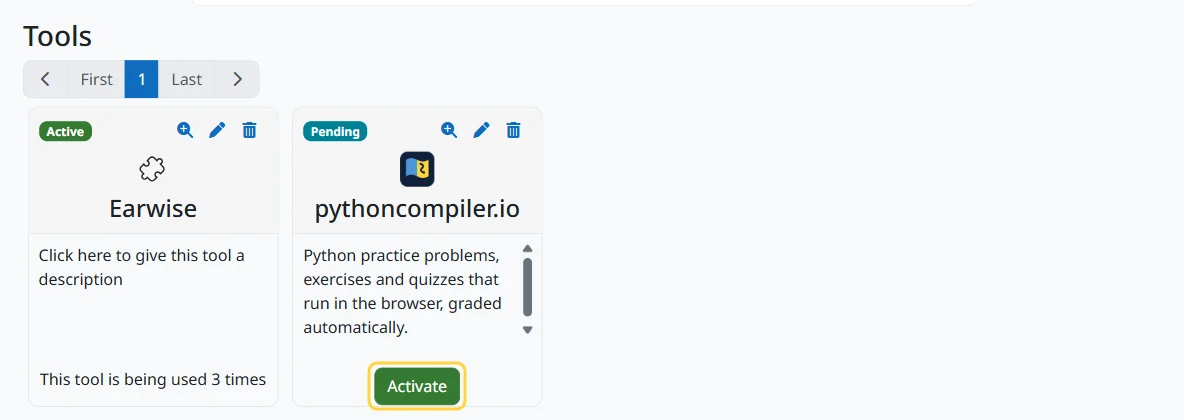
Moodle connects in a few seconds and lists pythoncompiler.io under Tools, marked Pending. Press Activate.
4. Choose where it shows up
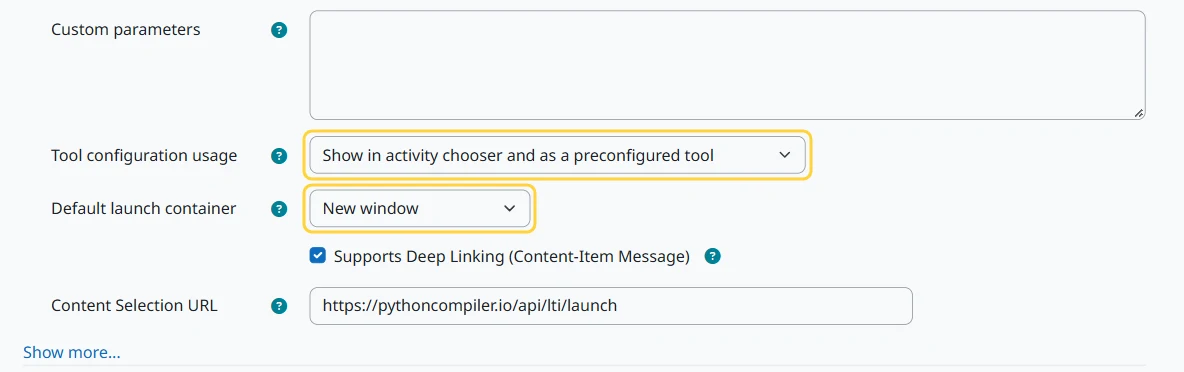
Press the pencil icon on the tool to open its settings. Set Tool configuration usage to "Show in activity chooser and as a preconfigured tool", and Default launch container to "New window": inside a frame the page is cramped and programs cannot ask for input. The connection already switched on grades and name sharing, so leave the rest as it is and press Save changes.
Part 2: Add Python activities
For teachers.
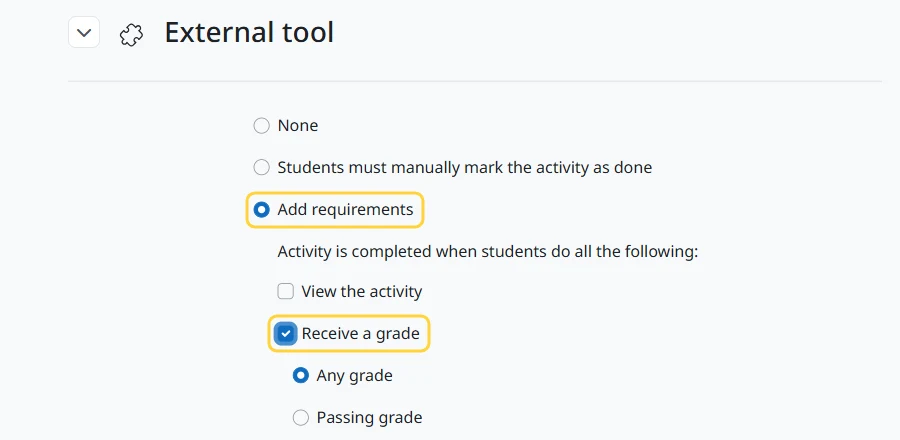
1. Show a tick when a student solves one (recommended)
Do this once per course, before adding activities. Open More, Course completion, and choose Default activity completion from the menu at the top. Under External tool, choose Add requirements, tick Receive a grade and press Save changes. The course page then marks each activity a student has solved as Done.
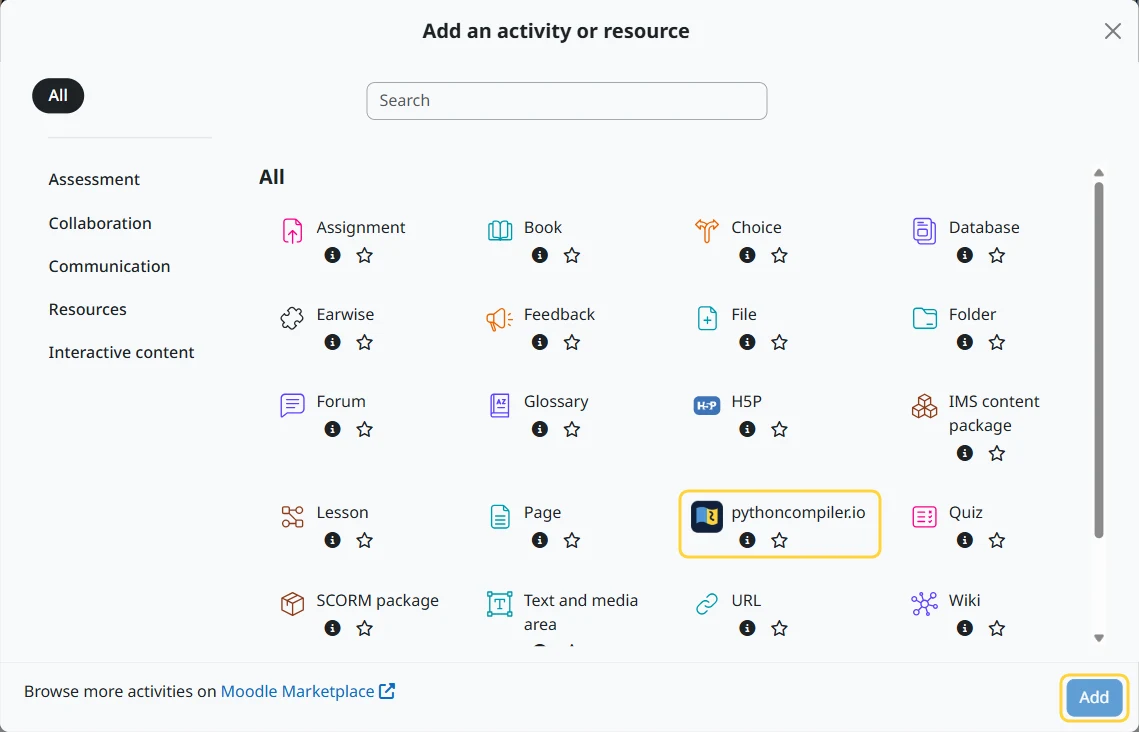
2. Add an activity
Turn on Edit mode, press Add content in a section and choose Activity or resource. Select pythoncompiler.io and press Add.
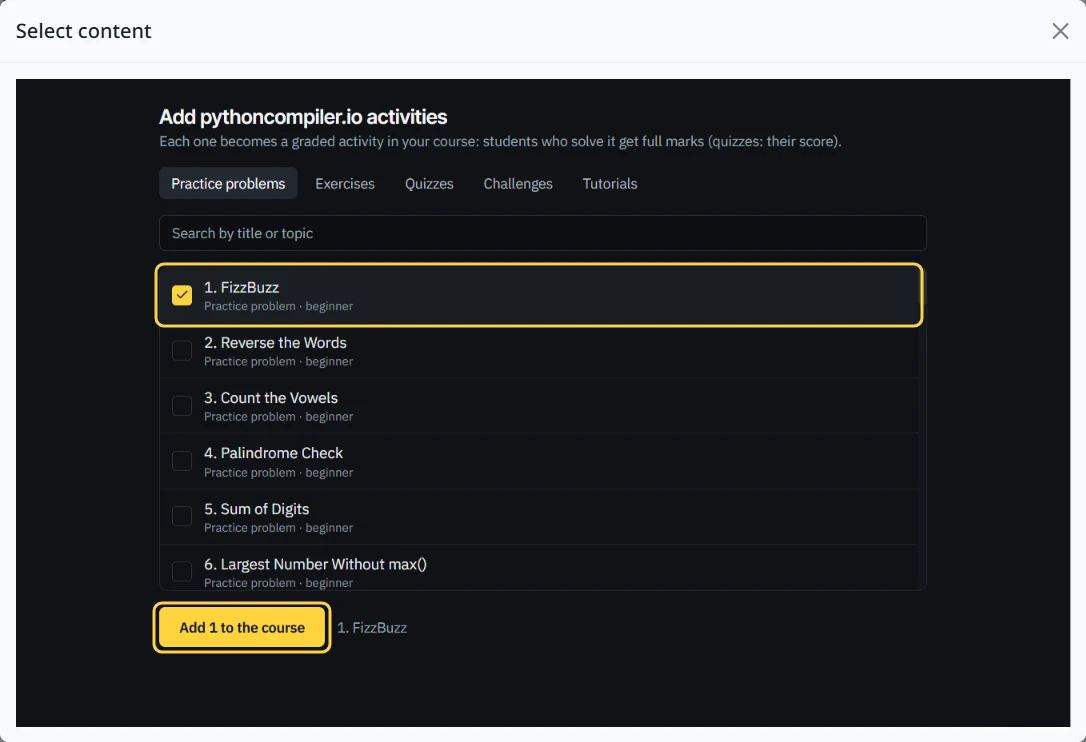
3. Pick the problems
Press Select content. Choose from 50 practice problems, 703 exercises from the lessons, 14 section quizzes, 25 challenges and 134 tutorials, then press Add to the course.
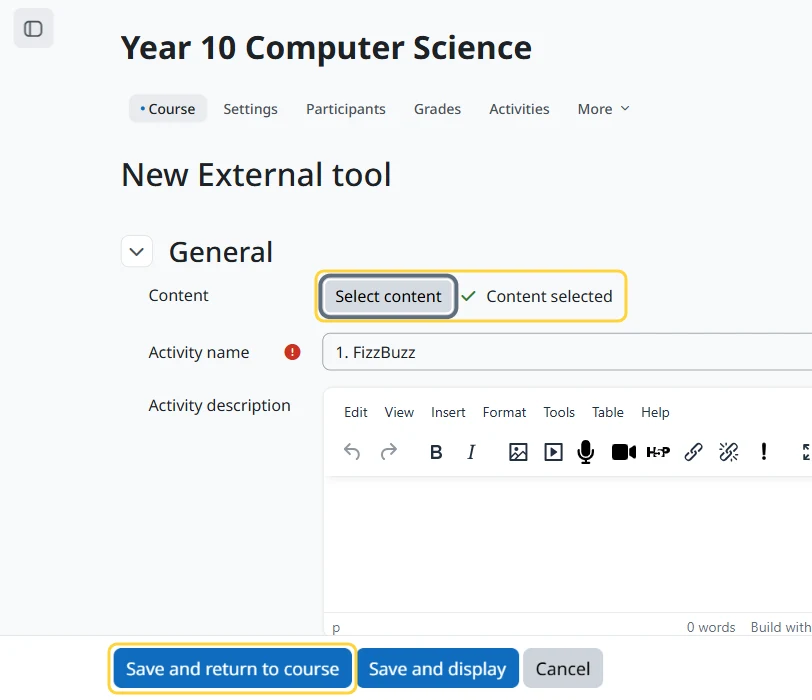
4. Save
Moodle fills in the name and grades the activity out of 100. Press Save and return to course.
What students see
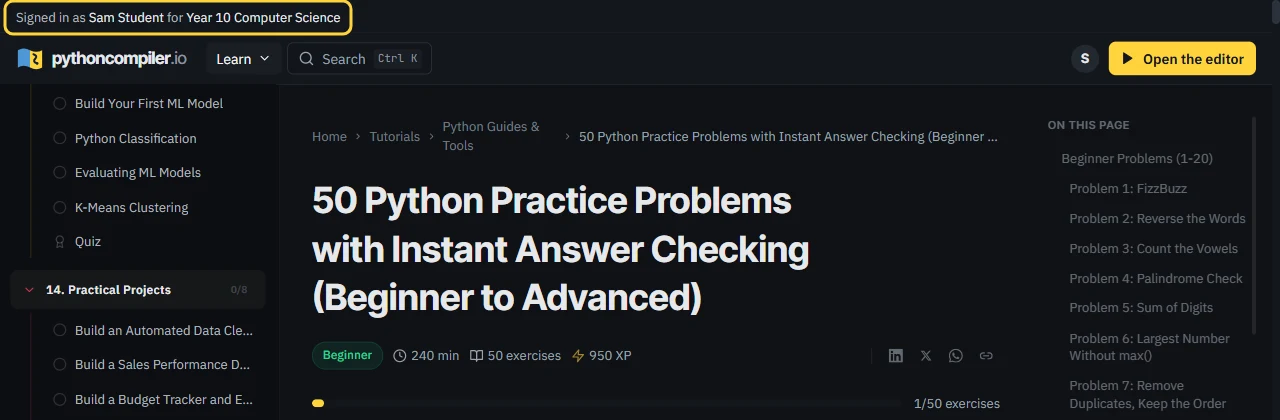
Students open the activity in Moodle and arrive signed in, with their course named at the top. There is no account to create.
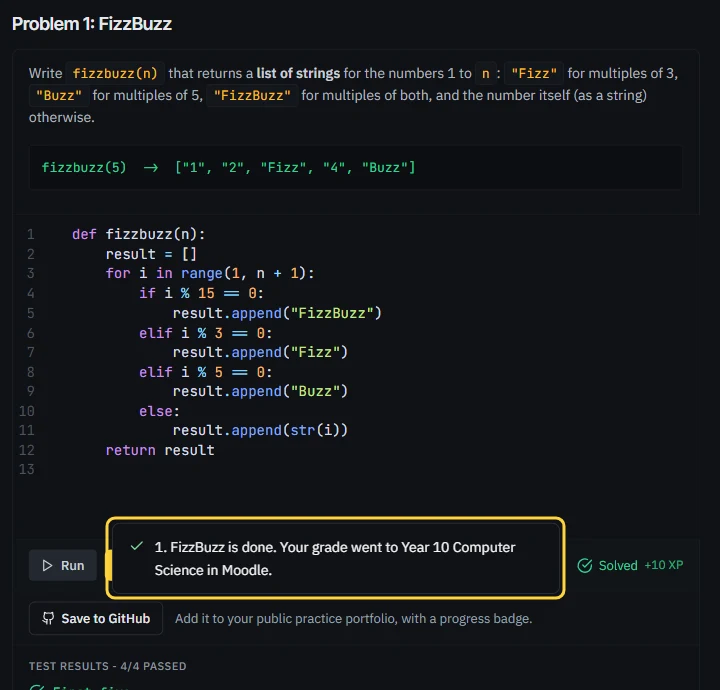
When their code passes the tests, they are told the grade went to the course. A solved problem scores 100, and a quiz sends its score.
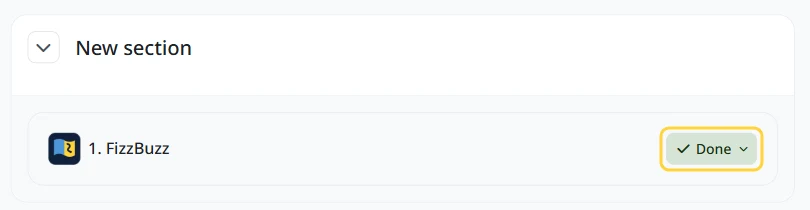
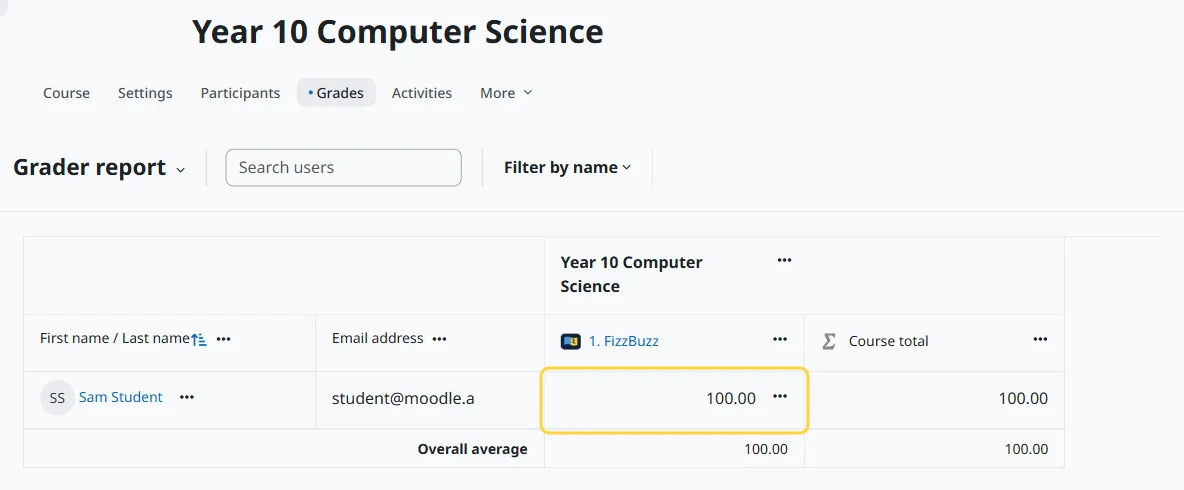
Their course page marks the activity Done (if you set the completion default in Part 2), and the grade is in the Moodle gradebook within seconds.
Follow the class
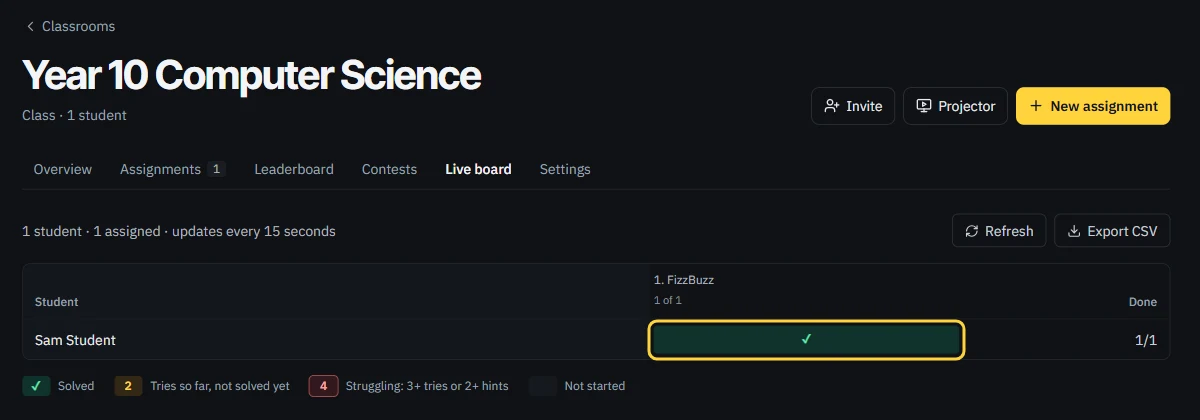
Open any of the activities yourself to reach the class's live board: who has solved what, who is stuck, and each student's latest code.
Questions
- Does it cost anything?
- No.
- What does pythoncompiler.io receive from Moodle?
- Each person's Moodle id, name and role, and the course name. Email addresses sent by Moodle are not used. We send back one thing: each student's score on the activities they open. The privacy policy (section 12) has the details.
- How is this different from CodeRunner?
- CodeRunner is a quiz question type: you write each question and its tests, and student code runs on a Jobe server your institution installs and maintains. Here the problems come ready-made and tested, and code runs in the student's browser.
- Which devices work?
- Any computer, Chromebook, iPad or phone with a current browser.
If something goes wrong
- "Registration failed"
- Moodle refused the connection or could not be read. Press Add LTI Advantage again; if it keeps failing, the message names the step.
- "This LMS has not registered pythoncompiler.io yet"
- Part 1 did not finish, or the tool was deleted. Connect it again.
- "This launch has expired"
- The activity took more than ten minutes to open. Open it again from the course.
- "Saved here, but Moodle did not take the grade"
- Check that the tool is active and its grade service is on, then the student presses Check again: the grade is sent again.
Still stuck? Tell us what Moodle shows, and a person will reply.
Using Canvas or another LMS? See Python activities in your LMS. Moodle is a registered trademark of Moodle Pty Ltd; pythoncompiler.io is not affiliated with Moodle.