Draw a Car in Python Turtle
Intermediate · Things to draw · 89 lines · draws in about 10 seconds
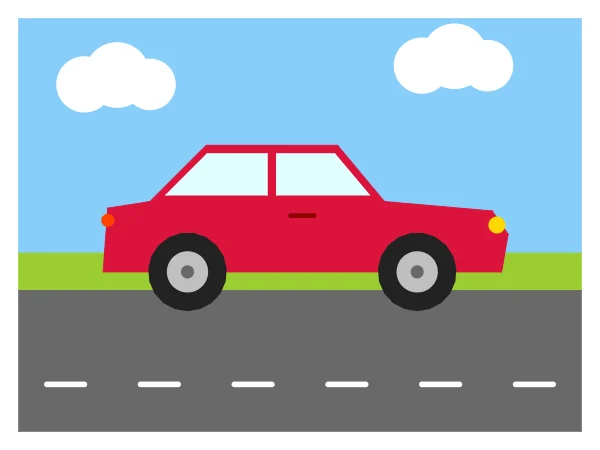
The car body is a list of corner points that one polygon function joins and fills, and the wheels go on last so they sit in front.
How the code works
Shapes from points
polygon() starts at the last point with the pen up, then visits every point in order, so the shape closes where it began. The sky, the grass, the road, the car body and the windows all use it.
def polygon(points, color):
    # Join the points with straight lines and fill the shape
    t.penup()
    t.goto(points[-1])
    t.pendown()
    t.color(color)
    t.begin_fill()
    for point in points:
        t.goto(point)
    t.end_fill()
Wheels
A tyre is a filled circle(42) that starts 42 below the centre of the wheel. Two dots on top make the hubcap.
def wheel(x, y):
    # A black tyre with a silver hubcap, centred on (x, y)
    t.penup()
    t.goto(x, y - 42)
    t.setheading(0)
    t.color("#222222")
    t.begin_fill()
    t.circle(42)
    t.end_fill()
    t.goto(x, y)
    t.dot(44, "silver")
    t.dot(14, "dimgray")
The body outline
Each pair of numbers is one corner: along the bottom, up the front bumper, back over the hood, up the front window, across the roof and down the back. Change a point and the shape follows.
# The car body, traced corner by corner from the back bottom
body = [(-210, -50), (215, -50), (222, -10), (205, 15), (90, 25), (40, 85),
        (-100, 85), (-160, 25), (-205, 18)]
polygon(body, "crimson")
Wheels last
The wheels are drawn after the body, so they cover its bottom edge. Their centres sit on the bottom of the body, at a y of -50.
# Two wheels
wheel(-120, -50)
wheel(125, -50)
Make it yours
Change the code above and press Run. Some ideas:
- Change
polygon(body, "crimson")topolygon(body, "royalblue")for a blue car. - Make the wheels bigger: change both 42s in
wheel()to 50. - Add a third cloud with
cloud(-60, 130)next to the other two.
What it uses
- lists of points
- functions with parameters
- begin_fill and end_fill
- for loops
Every turtle command the site supports is listed on Python turtle online.