Draw a Sun in Python Turtle
Beginner · Nature · 43 lines · draws in about 11 seconds
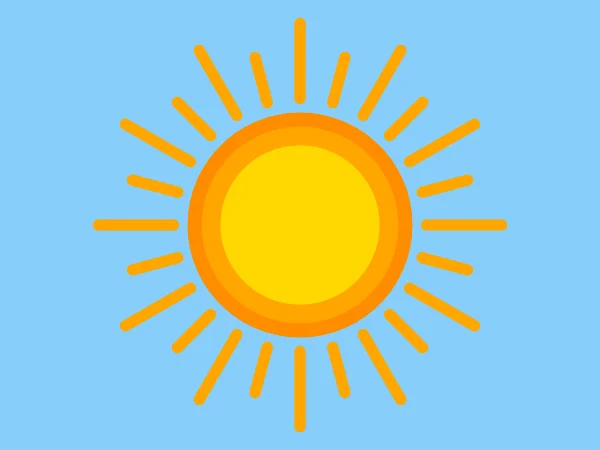
A loop turns the turtle 15 degrees at a time to draw 24 rays, then three filled circles, each smaller and lighter, make the glowing middle.
How the code works
A circle around the centre
circle() draws a circle to the turtle's left, so starting at (0, -radius) facing right puts the middle at (0, 0). steps=60 keeps the edge smooth.
def draw_disc(radius, color):
    # A filled circle centred on (0, 0)
    t.penup()
    t.goto(0, -radius)
    t.setheading(0)
    t.color(color)
    t.begin_fill()
    t.circle(radius, steps=60)
    t.end_fill()
Long and short rays
i % 2 == 0 is true when i is even, so rays 0, 2, 4 and so on are 80 long and the others 50. Each ray starts at the centre, turns to i * 15 degrees and moves 135 steps with the pen up before it draws, which leaves a gap around the sun.
# 24 rays, one every 15 degrees, long and short in turn
t.pensize(12)
t.pencolor("orange")
for i in range(24):
    if i % 2 == 0:
        length = 80
    else:
        length = 50
    t.penup()
    t.goto(0, 0)
    t.setheading(i * 15)
    t.forward(135)
    t.pendown()
    t.forward(length)
Layers of colour
Each disc is drawn on top of the one before, so the biggest and darkest goes first. The rings that show round the edge make the sun look like it glows.
draw_disc(120, "darkorange")
draw_disc(105, "orange")
draw_disc(85, "gold")
Make it yours
Change the code above and press Run. Some ideas:
- Change
range(24)torange(36)andi * 15toi * 10for more rays. - Change
t.pensize(12)tot.pensize(6)and"orange"int.pencolor("orange")to"gold"for thin golden rays. - Give the sun two eyes: after the discs, add
t.goto(-35, 25),t.dot(20, "saddlebrown"),t.goto(35, 25)andt.dot(20, "saddlebrown").
What it uses
- for loops
- if and else
- penup and pendown
- begin_fill and end_fill
Every turtle command the site supports is listed on Python turtle online.