Chessboard in Python Turtle
Beginner · Shapes · 52 lines · draws in about 11 seconds
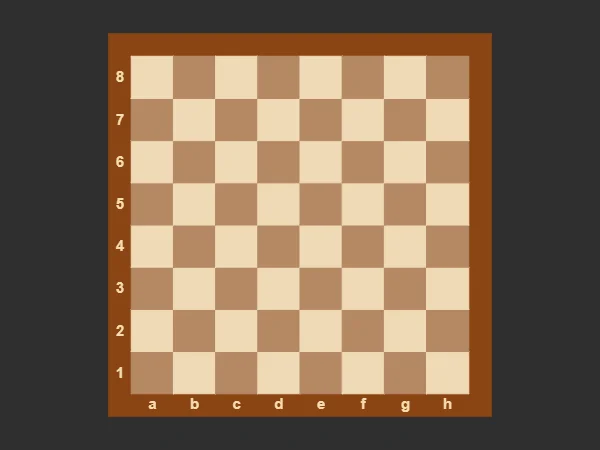
A loop inside a loop visits all 64 squares row by row, and whether the row number plus the column number is even decides which squares are dark.
How the code works
Names for the sizes
SIZE is the width of one square. START puts the bottom-left corner of the board 4 squares left of and below the centre, so the board sits in the middle, and BORDER is the width of the frame.
SIZE = 45              # width of one square
START = -4 * SIZE      # the board's bottom-left corner is at (START, START)
BORDER = 24            # width of the wooden frame
A square from its corner
The function moves to (x, y) with the pen up, then draws four sides with a 90 degree turn after each and fills them. The same function draws the frame and every square.
def draw_square(x, y, size, color):
    # A filled square with its bottom-left corner at (x, y)
    t.penup()
    t.goto(x, y)
    t.pendown()
    t.color(color)
    t.begin_fill()
    for i in range(4):
        t.forward(size)
        t.left(90)
    t.end_fill()
Rows and columns
One big brown square goes down first, as the frame. The outer loop picks a row and the inner loop walks along it; (row + col) % 2 == 0 is true on every other square, so the colours alternate along a row and swap over on the next one.
# The wooden border: one big square behind the board
draw_square(START - BORDER, START - BORDER, 8 * SIZE + 2 * BORDER, "saddlebrown")

# 64 squares, row by row. When row + col is even the square is dark,
# so the bottom-left square is dark, as on a real board.
for row in range(8):
    for col in range(8):
        if (row + col) % 2 == 0:
            color = "#b58863"
        else:
            color = "#f0d9b5"
        draw_square(START + col * SIZE, START + row * SIZE, SIZE, color)
Labels on the frame
"abcdefgh"[col] picks one letter, and str(row + 1) turns the row number into text. write() with align="center" centres each label on the middle of its square.
# Letters along the bottom and numbers up the side, on the border
t.penup()
t.color("wheat")
for col in range(8):
    t.goto(START + col * SIZE + SIZE / 2, START - 20)
    t.write("abcdefgh"[col], align="center", font=("Arial", 12, "bold"))
for row in range(8):
    t.goto(START - 12, START + row * SIZE + SIZE / 2 - 9)
    t.write(str(row + 1), align="center", font=("Arial", 12, "bold"))
Make it yours
Change the code above and press Run. Some ideas:
- Change
"#b58863"to"seagreen"and"#f0d9b5"to"beige"for a green board. - Change
SIZE = 45toSIZE = 30for a smaller board; everything else is worked out fromSIZE. - Change
"saddlebrown"to"black"for a black frame.
What it uses
- nested for loops
- the % operator
- functions with parameters
- write
Every turtle command the site supports is listed on Python turtle online.