Python Turtle Heart
Beginner · Shapes · 38 lines · draws in about 7 seconds
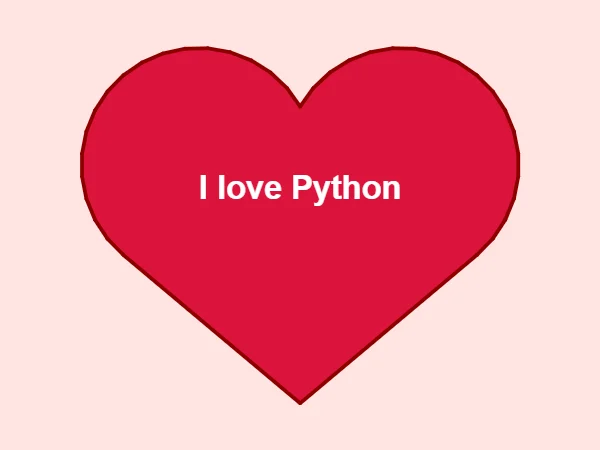
Two straight lines and two curves of 200 degrees make the heart, and a fill paints the inside crimson.
How the code works
Start at the bottom tip
The turtle lifts its pen with penup(), moves to (0, -190) and puts the pen down again. The point of the heart goes here, which keeps the finished heart in the middle of the screen.
# Start at the bottom tip of the heart
t.penup()
t.goto(0, -190)
t.pendown()
The left side
left(140) points the turtle up and to the left, and forward(246) draws the straight edge. circle(-125, 200) draws 200 degrees of a circle; the minus sign makes it curve to the right, over the top of the left bump.
# Left side: a straight line up, then a curve over the top
t.left(140)
t.forward(246)
t.circle(-125, 200)
The right side mirrors it
After left(120) the turtle draws the same curve again, then a straight line that ends where it started. The outline is closed, so end_fill() can paint the inside.
# Right side: turn, the same curve, then a straight line back down
t.left(120)
t.circle(-125, 200)
t.forward(246)

t.end_fill()
Write a message
write() puts text at the turtle's position. align="center" centres it on that point, and font sets the typeface, the size and the style.
# A message in the middle
t.penup()
t.goto(0, 20)
t.color("white")
t.write("I love Python", align="center", font=("Arial", 26, "bold"))
Make it yours
Change the code above and press Run. Some ideas:
- Change
"I love Python"int.write()to a friend's name. - Change
t.color("darkred", "crimson")tot.color("purple", "violet")for a purple heart. - Change
screen.bgcolor("mistyrose")toscreen.bgcolor("black")so the heart stands out against the dark.
What it uses
- begin_fill and end_fill
- circle with an extent
- left turns
- write
Every turtle command the site supports is listed on Python turtle online.