Five Interlocking Rings in Python Turtle
Intermediate · Shapes · 43 lines · draws in about 12 seconds
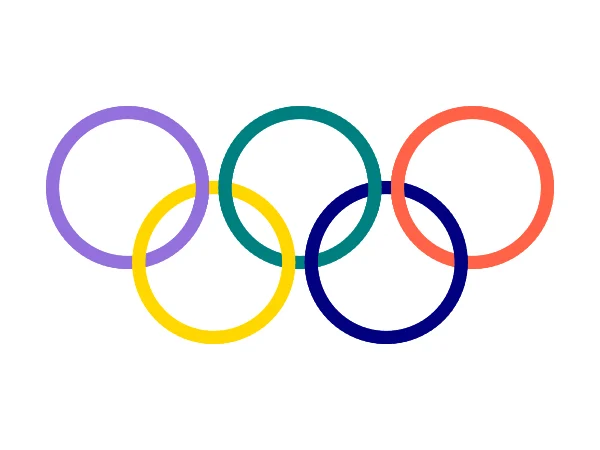
One function draws a whole ring or a short piece of one, and drawing a few pieces a second time puts them on top, so the five rings look linked.
How the code works
One function for rings and arcs
The turtle goes to the centre of the ring, faces start_angle, moves out by the radius and turns 90 degrees, so it stands on the ring facing along it. circle(RADIUS, extent, extent // 4) then draws that much of the ring with one short line for every 4 degrees, which keeps the thick rings smooth.
def draw_arc(x, y, color, start_angle, extent):
    # Part of a ring around (x, y). start_angle 0 is the right side of the ring.
    # The third number in circle() is how many short lines make the curve.
    t.penup()
    t.goto(x, y)
    t.setheading(start_angle)
    t.forward(RADIUS)
    t.left(90)
    t.pendown()
    t.pencolor(color)
    t.circle(RADIUS, extent, extent // 4)
Five full rings
The top row has its centres 184 steps apart at a height of 40, and the lower rings sit in the gaps, 40 below the middle. An extent of 360 draws the whole ring.
# Three rings on top, two below, each its own colour
draw_arc(-184, 40, "mediumpurple", 0, 360)
draw_arc(0, 40, "teal", 0, 360)
draw_arc(184, 40, "tomato", 0, 360)
draw_arc(-92, -40, "gold", 0, 360)
draw_arc(92, -40, "navy", 0, 360)
Linking the rings
Where two rings cross, the one drawn later is on top. Redrawing a 40 degree piece of each top ring at one of its two crossings puts it on top there, while it stays underneath at the other one, and that is how linked rings look.
# The lower rings were drawn last, so they cover every crossing.
# Drawing a short piece of each top ring again puts it on top at
# one crossing, so the rings look linked together.
draw_arc(-184, 40, "mediumpurple", -20, 40)
draw_arc(0, 40, "teal", 160, 40)
draw_arc(0, 40, "teal", -20, 40)
draw_arc(184, 40, "tomato", 160, 40)
Make it yours
Change the code above and press Run. Some ideas:
- Delete the last four
draw_arclines to see the rings without the linking trick. - Change
t.pensize(14)tot.pensize(6)for thin rings. - Change
extent // 4toextent // 30and the rings turn into rough polygons, which shows why the curve needs enough short lines.
What it uses
- functions with parameters
- circle with extent and steps
- constants
- drawing order
Every turtle command the site supports is listed on Python turtle online.