Colorful Spiral in Python Turtle
Beginner · Patterns and spirals · 20 lines · draws in about 9 seconds
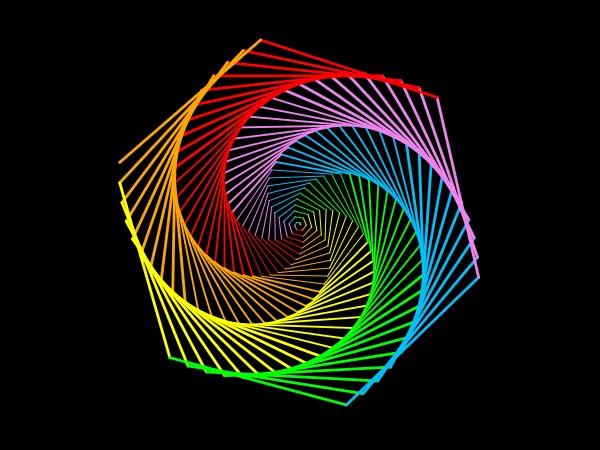
Lines that grow by one step each time, with a turn of 59 degrees between them, make a hexagon that twists into a six-armed rainbow spiral.
import turtle
screen = turtle.Screen()
screen.bgcolor("black")
screen.title("Colorful spiral")
t = turtle.Turtle()
t.speed(10)
colors = ["red", "orange", "yellow", "lime", "deepskyblue", "violet"]
# Turning 59 degrees, one less than a hexagon's 60, makes the spiral twist
for x in range(200):
    t.pencolor(colors[x % 6])
    t.pensize(x // 70 + 1)
    t.forward(x)
    t.left(59)
t.hideturtle()
turtle.done()
How the code works
Six colours
One colour for each side of a hexagon, bright enough to glow on the black background.
colors = ["red", "orange", "yellow", "lime", "deepskyblue", "violet"]
The spiral loop
x goes from 0 to 199 and each line is x steps long, so the spiral grows outward while colors[x % 6] cycles through the colours. x // 70 + 1 makes the pen 1, 2 and then 3 pixels wide as the spiral gets bigger. A hexagon turns 60 degrees at each corner, so turning 59 leaves every lap one degree short, and that is what bends the arms.
# Turning 59 degrees, one less than a hexagon's 60, makes the spiral twist for x in range(200): t.pencolor(colors[x % 6]) t.pensize(x // 70 + 1) t.forward(x) t.left(59)
Make it yours
Change the code above and press Run. Some ideas:
- Change
t.left(59)tot.left(121)for a smaller spiral with three arms. - Change
range(200)torange(120)for a smaller spiral that draws in about half the time. - Change
screen.bgcolor("black")toscreen.bgcolor("white")and"yellow"to"gold"so every colour shows up on white.
What it uses
- for loops
- lists and the % operator
- pensize
- integer division with //
Every turtle command the site supports is listed on Python turtle online.